

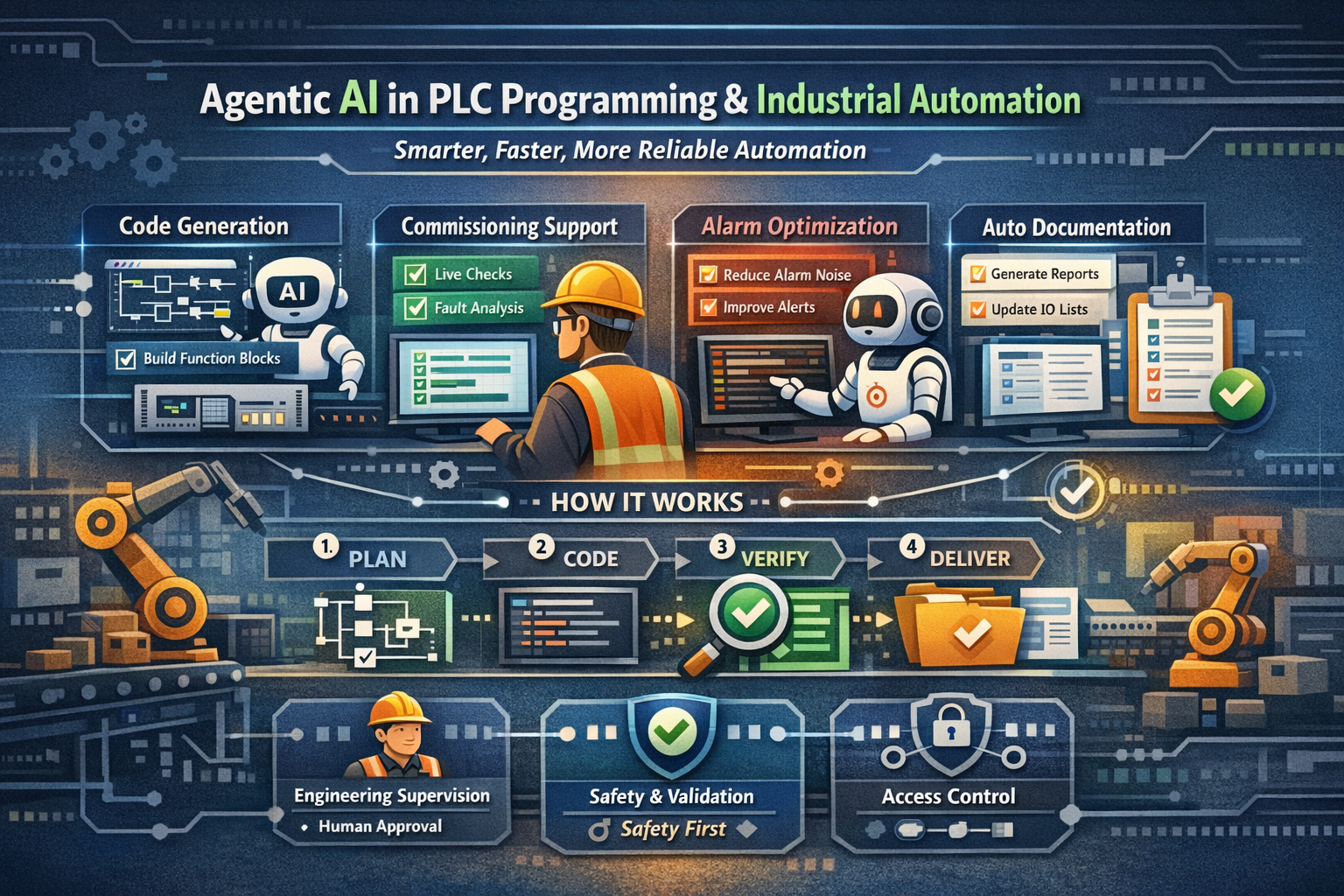
Industrial automation is entering a new phase: not just “AI that answers questions,” but agent AIs that can do work—plan steps, call tools, verify outputs, and hand results back to engineers in a structured way.
For PLC programming, commissioning, and long-term support, that shift is massive. It’s the difference between asking an LLM “how do I do X?” and having an agent that can generate the code, create the test plan, run checks, produce documentation, and flag risks—all while you stay in control.
Below is a practical breakdown of where agent AIs bring value, plus concrete examples of how you can integrate them into real automation workflows.
What is an “Agent AI” in automation terms?
A regular chatbot gives you text answers.
An agent is an AI system that can:
- Follow a goal (e.g., “Create a conveyor interlock function block”)
- Break the job into steps
- Use tools (search your internal docs, parse I/O lists, generate code templates, run simulations, query historians)
- Validate and iterate (lint rules, naming standards, safety checks)
- Deliver outputs in your format (structured text, ladder templates, WinCC scripts, FAT docs, alarm lists)
Think of it as a junior engineer that never gets tired, but still requires engineering supervision and approval.
Why agent AIs are valuable in PLC programming
1) Faster build time without sacrificing consistency
Most PLC projects repeat the same patterns:
- Motor/valve/device templates
- Interlocks and permissives
- Alarms and diagnostics
- State machines and sequences
- HMI faceplates and tag binding
Agents are great at repeatable engineering, especially when you give them:
- Your template library
- Naming conventions
- Standard alarms / messages
- Acceptance test rules
Result: faster delivery, fewer copy/paste errors, better standardization across sites.
2) Better commissioning support (and fewer “mystery faults”)
Commissioning often fails on basics:
- Wrong addressing
- Missing permissive
- Misinterpreted sensor logic
- Incorrect scaling
- Inconsistent HMI behavior
Agents can continuously cross-check:
- I/O list vs PLC tags
- Tag names vs HMI tags
- Alarm setpoints vs process limits
- Interlock truth tables vs code
This reduces time spent chasing issues that are technically simple but time-consuming.
3) Documentation becomes a byproduct, not a punishment
Let’s be honest: docs often come last.
A well-integrated agent can auto-generate:
- Function block descriptions
- IO mapping tables
- Cause & effect matrices
- Alarm philosophy pages
- FAT/SAT test sheets
If your agent is part of the build workflow, documentation is always “caught up” because it’s generated from the same sources as the code.
4) Smarter troubleshooting and support after handover
Post-handover, the real money is in:
- Faster fault resolution
- Reduced downtime
- Predictable maintenance
Agents can summarize:
- What happened (timeline)
- Which sensors changed first
- Which interlocks blocked restart
- What similar faults looked like in the past
With historian + alarm/event logs, an agent can give technicians a clear action list instead of a wall of alarms.
Examples of AI agent integration (realistic and useful)
Example 1: “PLC Code Builder” agent (templates → validated code)
Goal: Generate standardized code for devices from an I/O list.
Workflow:
- Read an Excel/CSV I/O list
- Classify devices (motor, VFD, valve, photoeye, encoder)
- Generate function blocks (ST / LAD templates)
- Apply naming rules and tag structure
- Output:
- PLC code blocks
- Tag import file
- Device list + diagnostics map
Where it shines:
- Conveyor systems
- Pump skids
- Packaging lines
- Multi-site rollouts where standards matter
Extra value: The agent can also generate a FAT checklist automatically per device type (e.g., motor feedback loss test, E-stop behavior, jam detection, permissives).
Example 2: “Alarm Rationalization” agent (reduce noise, improve meaning)
Goal: Turn a messy alarm database into a clean, actionable set.
Workflow:
- Ingest current alarms (text, priority, conditions)
- Identify duplicates, floods, and unhelpful messages (“Fault”, “Error”, etc.)
- Suggest improved messages with:
- clear fault cause
- operator action
- maintenance hint
- Propose priority changes and shelving rules
- Output updated alarm list + report
Where it shines:
- Legacy systems with years of “alarm creep”
- Sites where operators ignore alarms because there are too many
Result: fewer nuisance alarms, faster response, better OEE.
Example 3: “Commissioning Copilot” agent (live checks during startup)
Goal: Assist engineers during commissioning with quick verification loops.
Workflow:
- Agent connects to:
- PLC tag snapshots (via OPC UA or gateway)
- HMI tag lists
- I/O diagnostics
- You ask: “Why won’t Conveyor 14 start?”
- The agent:
- checks permissives
- lists blocking conditions (with tag values)
- highlights the first failing permissive
- suggests test steps (safe and controlled)
- generates a short “fix record” for documentation
Where it shines:
- Night shift commissioning
- Large systems with many dependencies
- Sites with mixed-skill teams
Important: this does not replace lockout/tagout procedures and safety validation—ever.
Example 4: “Change Impact” agent (safer edits, fewer regressions)
Goal: Understand what a change will break before you download.
Workflow:
- You propose change: “Modify palletizer sequence step 40”
- Agent:
- scans dependent FBs
- checks alarms that reference the step
- checks HMI screens tied to those tags
- suggests test cases to re-run
- Outputs a mini “impact report”
Where it shines:
- High-availability plants
- Systems with complex sequences
- Multi-engineer teams (handover-proofing)
Example 5: “Auto-Documentation” agent (always current)
Goal: Generate usable docs without extra work.
Workflow:
- On each commit/build/export, agent generates:
- block list and descriptions
- tag dictionary
- cause/effect matrix
- network overview
- revision notes summary
Where it shines:
- Customers who demand strict documentation
- Projects with frequent scope changes
Typical architecture patterns (how to integrate safely)
Pattern A: Local/Edge agent (best for IP + security)
- Runs on an engineering laptop, IPC, or on-prem VM
- Uses local models or private endpoints
- Only accesses approved project files and interfaces
- Great for sensitive factories where cloud is limited
Pattern B: Hybrid agent (best for scale)
- Local “execution” tools (tag reads, exports)
- Cloud model for reasoning (or private hosted LLM)
- Strong audit logging + role-based access
Pattern C: “Agent behind the standards”
- The agent is forced to follow:
- your code templates
- your naming rules
- your review checklist
- Output is never “free-form”; it’s structured and reviewable
Key principle: agents should produce reviewable engineering artifacts, not “magic changes.”
The non-negotiables: safety, validation, cybersecurity
Agent AIs can accelerate work, but only if you treat them like any engineering tool:
- No direct write access to safety logic without review gates
- Human approval for downloads and changes
- Audit logs: who asked for what, what changed, and why
- Separate environments: dev/sim → staging → production
- Cybersecurity: least privilege, network segmentation, credential handling
If you already follow good engineering practice, agents amplify your process. If you don’t, agents amplify your chaos.
Getting started: a simple “first agent” idea for PLC teams
If you want something practical that delivers value fast, start with:
“I/O List → Tag + Template Generator”
- Input: Excel I/O list + device type column
- Output: tag import + starter function blocks + HMI faceplate tag mapping
- Add validation: naming standards + duplicate checks + missing signal checks
This is low risk, high reward, and immediately useful on almost any job.
Final thought
Agent AIs won’t replace PLC engineers—but they will replace the parts of the job that are repetitive, error-prone, and documentation-heavy. The teams that win will be the ones who build agent workflows into their standards early, with strong validation and safety discipline.